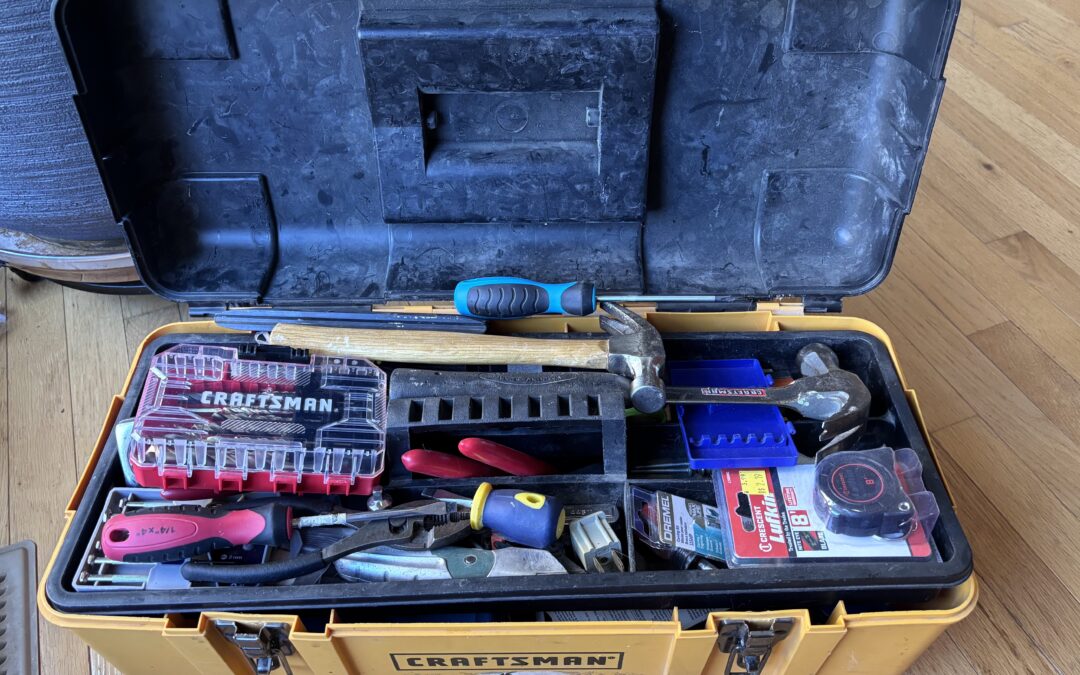
Procurement software is the toolbox of our profession. Any tradesperson cannot do their job without their toolbox, and when procurement professionals lack good tools, we don’t do our jobs well. I encounter many companies that are running bids or even inventory management out of email and Excel. While that can get the job done, at some point a professional needs more tools in their toolbox. Today, humor me with my extended metaphor as we think about the tools in a procurement toolbox, how we use them, and what thinking of them metaphorically teaches us.
ERP System = Toolbox
An Enterprise Resource Planning (ERP) system represents the whole toolbox itself. Some are the compact toolbox with a single handle we give our kids or buy ourselves moving into a first home. I think of the smaller ERP systems this way, like SAP B1 or Microsoft Dynamics. While there might be a tool in the corner of the box we’re not aware of or don’t use often, we pretty much know what they contain and know they’re a bit bare bones. We probably have a “spare drawer” somewhere of spreadsheets that are managing our forecasting or current inventory because our toolbox doesn’t really have everything we need (Yes, I know. Cringe. I’ve encountered it and I bet so have you.)
Some ERP systems are the taller-than-we-are multi-drawer setup that sits in grandpa’s garage and has everything, but maybe isn’t super organized. Every time we go to it, we use the same couple wrenches and side-eye all the other “stuff” we’re not really sure what to do with. If we touch it, Grandpa (aka IT) might get mad at us for playing with tools we don’t understand. These are the big ERP systems like Oracle Fusion or SAP S4HANA. Sometimes we grab the screwdriver out of the junk drawer (the spreadsheet Matt built in 2005) because it’s more familiar and handy than going to the big rack of matching, color-coordinated screwdrivers in our big ol’ ERP toolbox. There are a lot of different ERPs between these extremes, just like some households have multiple toolboxes or something in-between.
So how do we use ERP systems and what does thinking of them as a toolbox teach us?
- Take stock. We’re reminded there are a lot of tools in our toolboxes we don’t use or rarely use. Our ERP systems likely do lots of things we don’t even know about and definitely don’t know how to operate. Periodically take inventory of your ERP and ask yourself if life would get easier if you more fully utilized it.
- Identify redundancies. We often have redundant tools in our toolboxes, and we buy very complete ERP systems that sell more than we need. If you have a non-ERP e-sourcing module you are happy with, make sure you’re not paying for your e-sourcing module as part of your ERP. Especially when implementing or quoting a new ERP, make your supplier break out their pricing per module and make some thoughtful decisions about what you truly want. No matter what they say, that “free” screwdriver thrown onto the wrench set is never truly free. Redundant tools are also tech debt that is stopping us from actually moving forward with AI.
Email = Swiss Army Knife
Our email is the multitool/Swiss army knife we carry in our pocket. It’s handy, it can do many things in a pinch, but it’s not great for big or complicated jobs. Sometimes, even though it’s ill-suited to its given task, we make email work for us because it’s what we have.
Side note: I struggled with whether Excel or email are the Swiss army knife and ultimately settled on email. Feel free to argue with me.
What does thinking about email as a Swiss army knife teach us, and how do we carry that forward?
- Realize limitations. Don’t just reach for email as your “best” tool simply because it’s handy. Running complicated RFPs via email is basically never a good idea. What happens if you’re out of the office (either expectedly or unexpectedly)? No one else can cover for you if the RFP results are hiding in your email. What about big files and drawings to exchange? I see so many big companies still running complicated RFPs via email and it blows my mind.
- Use the corkscrew. A good Swiss army knife has a bunch of tools on it we never use. A corkscrew. A hook. A bottle opener. In the knife-as-email metaphor, this is the signature function, the filing rules, or the folder management. Someone in your office is likely using their signature function to write that same email you have to write 20 times a day “I have issued PO #### per requisition #### and the expected ship date is ##/##/##.” Or now, AI agents can probably send that email for you if you take a moment away from the daily busyness to figure it out. Go use email more fully or make some rules to deal with the huge volume of emails we all deal with daily.
E-auctions = Chainsaw
I’ve written about how e-auctions are a chainsaw before, and it’s still my personal favorite metaphor. Continuing (overextending?) this metaphor, e-sourcing tools, and especially e-auction tools, are a chainsaw. If you have a really nice toolbox (ERP system), it might have even come with a chainsaw (e-auction capability). But do you know how to use it safely without hurting yourself and others? Do you have the proper Personal Protective Equipment (PPE)? Do you have a memory of a time you saw someone use it (or you used it yourself) and it made a big, scary mess instead of being productive? Yeah. You’re not alone. Chainsaws, and e-auctions, are dangerous. And yet, they do what they do incredibly well. They can make chainsaw art. They can surgically remove the wrong trees and undergrowth from a forest to reduce wildfire risk. They can quickly turn a dead, fallen tree into firewood for my wood stove in the Iowa winter. And e-auctions can quickly reach market price with speed, fairness, and transparency.
If we think of e-auctions as a chainsaw, what does that teach us about how to use them?
- Get proper PPE and training. Don’t just start mucking around with the e-auction tool until you know how you want to approach your e-auctions. Decide what you will or won’t e-auction. Make policy with executive support that everyone is willing to stick to. Get buy-in from your procurement team.
- Use the right model. Just as there are electric and gas chainsaws, e-auction tools come in many shapes and sizes. Do you need English, Dutch, Japanese, Yankee, and Brazilian functionality? Or are you looking for something quick and easy to negotiate regular purchases every week? Chances are very good that the e-auction program that came with your ERP system is not your best option. If it’s your only option (and sometimes it is, I know), learn how to use it and realize your tool is only a piece of doing e-auctions well.
Of course, what kind of e-auction expert would I be if I didn’t point out that I can be your hired chainsaw operator? If you’d like to try e-auctions without the commitment and need a trusted source to walk you through it, contact me and let’s scope out a quick proof of concept.
Excel = Pad of Paper and Pencil
I thought a lot about what Excel is in our metaphorical toolbox. I’ve settled on Excel being a pad of paper and a pencil (debatably and a calculator). Your toolbox (ERP system) definitely didn’t come with Excel, you already had it, lying around. You don’t remember a time when it wasn’t a tool available to you, and it’s the first thing you reach for when you’re working on a problem. Sketch it out. Try a few things. Then worry about whether you want a more sophisticated tool. People are constantly telling you that a tablet (Tableau, other analytical tools) is better, faster, more efficient. And yet Excel is easy. You’ve already figured out how to use it because you spent years in school working through your homework with pencil and paper. Unless you’re Gen Alpha, then if you’re like my kids your handwriting is atrocious and you’ve only ever done arithmetic in MATHia.
What do we learn from thinking of Excel as a pad of paper and pencil?
- Understand capacity. Just like email, Excel has limits. It’s awesome, it’s handy, and we’ve already climbed the learning curve. But there are things it just won’t do or won’t do well. Even with a pad of grid paper, your chart will only be so pretty. Even with advanced math and finance skills, you will only be able to process a certain amount of data. While 17 billion cells in an Excel spreadsheet sounds like a lot, I’ve definitely run into situations where Excel can’t hold all the data that needs analyzing.
- See the crutch. Excel is a crutch. I once worked for a company with nearly $1b in revenue who was running their entire sales forecasting process through a system of password-locked interlinked spreadsheets. It was password-locked because at some point someone had put the wrong number somewhere and it screwed up operations for months. An extremely small number of people (like two) had the passwords and could make changes, yet it basically ran the company’s revenue. Don’t be like them. Know when you’ve outgrown Excel.
AI = Motorization
What kind of modern article writer would I be if I didn’t at least mention AI? Where does it fit in our toolbox metaphor? AI is adding motors to things. If your forecasting tool is a screwdriver, AI-driven forecasting is a drill with a screwdriver drill bit. You can now do a lot more work faster, but you can also strip a lot of screws with too much power, run out of battery fast, and make a mess. Some things (like our screwdriver/forecasting tool) make a ton of sense to motorize. But what about our measuring tape (procurement policy)? Does AI really help there?
If AI is motorization in our toolbox metaphor, here’s how that framing helps us move forward:
- Don’t motorize everything. Not every tool benefits from a bunch of extra power and speed. Thoughtful efficiency is amazing. But don’t take a crappy, rust-covered tool and bolt a motor on it and expect it to perform like a high-efficiency machine. Don’t automate your crappy, archaic process that still depends on Sue to “just know” which shop floor operators can actually do that complicated machining process and which shifts they work. At the very least, fix your process first.
- Motors are expensive. You can’t just buy a motor and expect it to run perfectly forever. It needs electricity or fuel. It needs maintenance. It has wear parts. AI also can’t just be bolted into a supply chain process and forgotten. Any AI tool you implement will need maintenance, support, upgrades and to constantly be checked against all the other tools it interfaces with. Make sure you’re evaluating your total cost of ownership when adding AI to your toolbox, and make sure what you’re adding actually makes sense.
If you’d like to talk through your procurement toolbox, let’s chat. If you’d like to get these articles weekly straight to your inbox and never miss one, sign up for my newsletter.
My book, Transform Procurement: The Value of E-auctions is available in ebook, paperback and even hardcover format: https://www.amazon.com/dp/B0F79T6F25. My chapter in the powerful anthology Femme Led: Hard-Learned Lessons from Women in Leadership is now available in ebook and paperback format: https://a.co/d/0bOzma8F
This post was written entirely by me and not by AI. The article summaries, title, and graphic may all have used AI to assist/generate ideas/edit, but the article content is fully human.